
From Subtitles to Speech: Can ChatGPT Really Translate Your Videos
In the modern world we live in, the world has become globalized, and there are no boundaries in content. MNCs need to invest in training supplies among staff teams across the board, YouTube personalities are keen to attract more individuals in other nations, and learning firms are struggling to provide domesticized training to foreign scholars. However, there is a grave issue on the pathway: to translate the video contents, and to carry out the process with a high standard? The traditional video translation process is so bulky, as it includes a number of stages, such as the usage of subtitles, translation of a text, correction of time schedule, voice dubbing, and audio-visual synthesis. It is not only time-consuming and labour-intensive, but it also needs extremely particular tools and technologies.
At this point, the number of people who have switched their interest to the powerful AI solution -ChatGPT is high. It is reputed to have the best natural language processing ability, and hence can it be the solution to all the ills of video translation? This paper will explain the role, mechanisms, and limitations of ChatGPT as a video translator and reveal a better and one-stop solution.
The Role of ChatGPT in Video Translation
ChatGPT's core capability lies in understanding and generating text. It has a major role in the video translation chain as an intelligent power translator. In particular, it has the following functions:
- Subtitle Translation: ChatGPT is able to quickly and accurately translate subtitle files in their original language (e.g., SRT or VTT) into the target language. It does not just focus on the literal meaning only, but also gives an interpretation of the text based on the context. Therefore, the translation process is more authentic and fits within the cultural practices of the target language.
- Customized Translation Style: You can ask ChatGPT to translate in a certain style, e.g., in a formal business style, light-hearted and humorous online style, simple sentences to get beginners through, etc., which would make the translated text more tailored to the video and the audience.
How to Use ChatGPT to Translate Videos
You can utilize ChatGPT as the core translation engine to manually complete the remaining steps. Here is a typical video translation workflow based on ChatGPT:
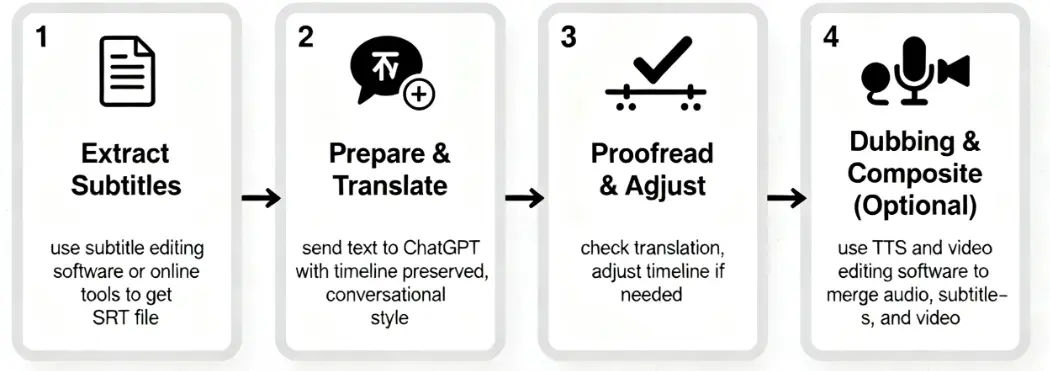
Step 1: Video Subtitle Extraction.
To begin with, you will have to take out the subtitles on the original video. This may be achieved with a subtitle editing program (i.e., Aegisub), by online subtitle extraction software or a few video editing programs. Finally, you must get an SRT or other type of file with the schedule and text of the dialogue.
Step 2: Cue Text Preparation and ChatGPT Translation.
Write the subtitle material and submit it to ChatGPT. The best example of the cue text is: “Please translate the following SRT subtitle file from English to Chinese. Please do not change the timeline code (e.g., 00:01:02,500 --> 00:01:04,100), just the translation of the text content follows. Please remember that the style of the translation should be made conversational and fit the educational videos.
Step 3: Editing and Revising the Translated Subtitles.
Copy the output of the translation result provided by ChatGPT into a new text file and save the file as an SRT file. The second step is to open the text in a subtitle editor and review the accuracy of the translation, being especially careful about the fact whether the timeline requires fine-tuning because of the difference in the text length. The English language is often longer than the Chinese language, hence the time taken to display might be increased.
Step 4: Produce Dubbing and Composing Video (Optional)
In case you require a voice-over, you will have to search for a text-to-speech that will allow you to assemble the translated subtitles to form an audio file. Last but not least, compose the new dubbing audio, the translated subtitle track, and the original video footage by using video editing software (e.g., Adobe Premiere or Final Cut Pro).
Challenges of Translating Videos with ChatGPT
It must be made clear that ChatGPT itself does not process audio or video files. It focuses on the "text" level.
It is powerless to handle crucial aspects of video translation, such as audio replacement, timeline synchronization, and audio-visual matching. Using ChatGPT to translate videos has several significant shortcomings:
1. Extract Video Subtitles
To begin with, you will have to take out the subtitles on the original video. This may be achieved with a subtitle editing program (i.e., Aegisub), by online subtitle extraction software or a few video editing programs. Finally, you must get an SRT or other type of file with the schedule and text of the dialogue.
2. Prepare Cue Text and Have ChatGPT Translate
Prepare the subtitle text and send it to ChatGPT. A good example of an efficient cue text would be as follows: "English to Chinese translation of SRT subtitle file. The code of the time also (e.g., 00:01:02,500 -00:01:04,100) should remain as is, followed only by translation of the text content. Do remember to make the style of the translation as conversational and appropriate to an educational video.
3. Proofread and Adjust the Translated Subtitles
Take the output in a new text file and save the translation result provided by ChatGPT as an SRT file. Then, open the text with the help of a subtitle editor and monitor the accuracy of translation attentively, taking special care whether the timeline is fine-tuned because of the variation in the length of the texts. The Chinese will normally be shorter than English and, therefore display time might have to be increased.
4. Generate Dubbing and Composite Video (Optional)
In case you require voice-over, then you will have to locate a text-to-speech application that would help you write the translated subtitles down into an audio file. Last, prepare the new dubbing audio, the track of translated subtitles and the original video footage into a video using video editing software (Adobe Premiere or Final Cut Pro).
ScreenApp: Best AI Video Translation Tool
To address all these challenges, dedicated AI video translation tools like ScreenApp have emerged. It integrates ChatGPT-level translation capabilities and builds upon this foundation to create a complete, automated solution, truly saving time and effort.
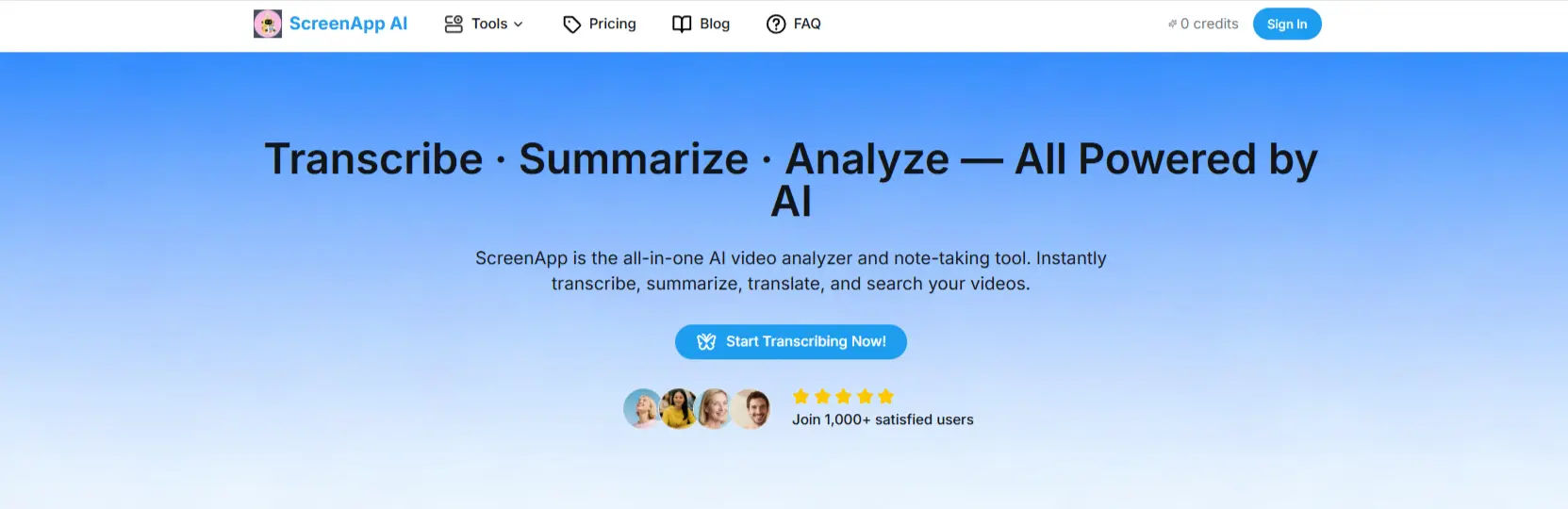
ScreenApp's core advantage lies in its one-stop automated processing:
- Automatic Speech Recognition/ Subtitle Generation: Just use your video, and AI will make high-precision original subtitles automatically.
- Quality AI Translation: The subtitles are translated into dozens of languages in one click after the integration of an advanced AI translation engine.
- Smart Timeline Adaptation: The timeline can be changed automatically depending on the duration of the translated text, and display it in the subtitles without having to change it by hand.
- AI Voice Cloning Dubbing: This is a service that gives you AI dubbing in various languages and in various tones, then creates the speech that sounds like a person, and it is synthesized automatically with the subtitles and video.
- One-Click Output: Once all settings are made, all one needs to do is press a button to download the final video with translated subtitles and dubbing.
By using ScreenApp, you will say goodbye to the exhaustion of switching between multiple tools and compress work that originally took hours or even days into minutes.
Conclusion
To conclude, ChatGPT is a great text translator assistant, which serves a big role in the text part of video translation. Nevertheless, it has many limitations when used manually on the full video translation workflow, such as a fragmented workflow, synchronization of timelines, and audio-visual correspondence.
To content creators and educators who need efficiency and quality in their work and businesses that need the same, a professional AI video translation tool such as ScreenApp is the real answer. It combines the strengths of AI, making it a part of a smooth automated workflow, which means that you can simply break the language barrier and present your video material to the world.
FAQs
Can ChatGPT handle real-time translation?
No, ChatGPT itself does not have the ability to process audio or video streams in real time. It is a text-based dialogue model and cannot translate playing video in real time.
What are the best formats for video translation with ChatGPT?
ChatGPT understands text-based subtitle files best, including SRT or VTT. The formats have intelligible timecodes and texts that ChatGPT easily recognizes and translates.
How to maintain subtitle timing after translation?
If using ChatGPT manually, you must manually adjust the timeline in your subtitle editing software. Nevertheless, professional tools such as ScreenApp, which automatically compensate for the length of the translated text with the help of AI algorithms, fully replace the inconvenience of manual proofreading.