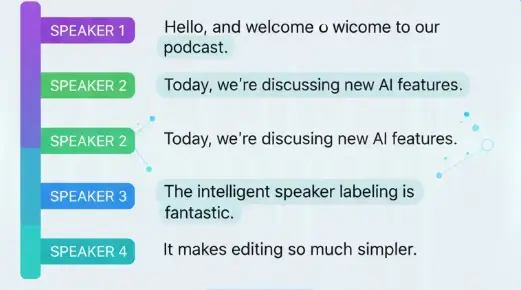
An AI Audio Analyzer is a sophisticated tool that uses artificial intelligence to deeply analyze audio signals. It goes beyond basic transcription to identify technical issues like clipping and distortion, separate individual speakers in a conversation (diarization), and prepare audio files for accurate transcription.
It works seamlessly on uploaded files, live recordings, or YouTube video links, providing comprehensive insights through a simple interface.
Get detailed audio analysis and speaker identification results instantly with our streamlined process.
Begin by uploading your MP3, WAV, or MP4 file, pasting a YouTube video URL, or starting a new recording directly within the ScreenApp platform.
Our advanced AI audio analyzer automatically processes the file, checking for clipping, distortion, performing speaker diarization on the speech content.
Receive a comprehensive report with a clean transcript, speaker-identified sections, markers for audio issues. Download the report or share it securely with your team.
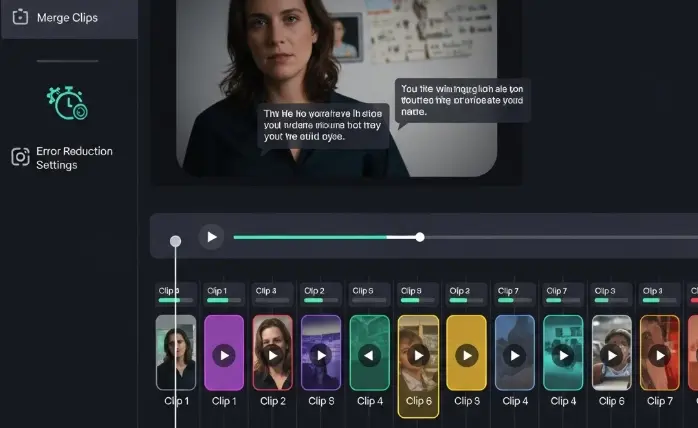
Our AI audio analyzer meticulously scans your audio files for any signs of clipping, peaking, or unwanted distortion, providing precise timestamps and severity levels to help you clean up your audio for professional use.

Automatically identify and separate different speakers in any conversation, interview, or meeting recording. This online tool to separate speakers in audio saves hours of manual work and improves transcription accuracy.
As the best audio analyzer for YouTube videos, simply paste a link to gain deep insights into any video's audio track, from technical quality to speaker separation, without any downloads.
Our AI audio analyzer adapts to various professional scenarios, delivering precise results every time.
The perfect online sound analyzer to ensure your podcast, video, or music track is free from technical audio issues before publishing. Quickly prepare for accurate captions.
Streamline the analysis of interview and focus group recordings. The speaker diarization tool segments speech by participant, provides deeper contextual understanding.

To evaluate customer support calls at scale, identifying common pain points and gauging overall customer satisfaction from conversational tone.
See how our AI-powered audio analyzer is enhancing workflows across industries.
Dr. Ben Carter
Lead Qualitative Researcher
The accuracy of the speaker identification is astounding. What used to take me an hour now takes minutes. An indispensable diarization tool for my research.
Chloe Davis
Content Creator
I run a YouTube channel and this is the best audio analyzer for YouTube videos I've found. It quickly flags any clipping in my mixes so I can fix them before my audience does.
Mark Reynolds
Sales Operations Director
The audio analyzer has transformed how we review sales calls. We're now able to quantitatively measure customer reactions we used to only guess at.
Got questions? We've got answers.
Our online sound analyzer supports all major formats, including MP3, WAV, MP4, and more. You can also analyze audio directly from a YouTube link.
Our speaker diarization tool is highly accurate under clear recording conditions, effectively distinguishing between different speakers to organize the transcript.
Absolutely. A key function is to analyze audio for clipping and distortion, which are common culprits for transcription errors. Identifying and rectifying these issues beforehand ensures a much more accurate transcript.
Completely. We prioritize your privacy. Analyzed files are not used to train our AI models and are handled with enterprise-grade security protocols.
Discover our full suite of AI-powered productivity tools designed to streamline your workflow.
Join thousands of users who are saving time and gaining deeper insights with our AI-powered audio analyzer. Get started instantly with a free account.