Screenapp: Free Audio to Text Converter No Limit
There is an abundance of information in the form of audio through online meetings and lectures, as well as, through interviews in the form of podcasts. Turning this content into a text that can be searched and edited has become a learning, working, and content-creating need. Nevertheless, the majority of the audio-to-text tools bear painful features: the free ones are limited by time constraints, monthly upload quotas, or require downloading and installing bulky software.
Such restrictions are major drawbacks to user experience in circumstances where there are lengthy records of meetings or batch audio files. ScreenApp does provide a free, unlimited audio-to-text experience. It entirely dismantles such barriers, and everyone is given the chance to turn audio content into valuable knowledge assets with ease.
What is ScreenApp AI Audio to Text Converter?
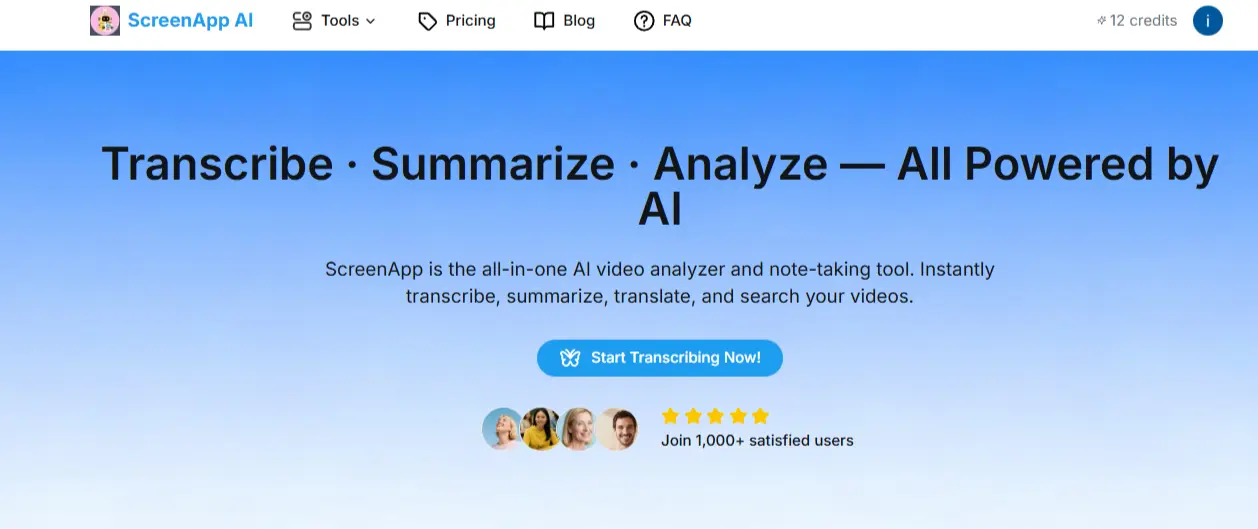
ScreenApp is a one-stop, AI-based, recording and summarizing platform based on the browser. It has a mission statement that is to instantly convert audio and video content to usable knowledge. It intelligently combines screen records, audio records, transcriptions, summaries, and search capabilities into a single platform, commonly known to users as their second brain at work.
Key Advantages:
- 100% web-based, no software needs to be installed.
- This has audio, video, screen recording, and meeting transcription.
- Automatically generates smart summaries and to-do lists
- Provides a completely free package that translates one video and three 45-minute audio files.
Who Can Benefit from ScreenApp
- Students and Teachers: Convert lectures and tutorials automatically to searchable and well-organized notes and make it far easier to study and review.
- Podcasters and YouTubers: Turn recorded content into blogs, captions, or scripts that can be repurposed across different platforms to reach a wider audience.
- Remote Teams: Take notes and write down all the information about online meetings, come up with clear summaries, and follow up on action items to enhance collaboration.
- Journalists and Researchers: Transcribe interviews quickly and create structured notes that simplify analysis and reporting.
- Content Marketers: Transform webinars, client calls, or presentations into publishable written materials that will back your marketing strategy.
ScreenApp can save your time as a one-person producer or in a big organization by automating all transcription and organization processes to concentrate on insights and creativity as opposed to typing.
ScreenApp vs Other "Free” Audio to Text Converters
| Feature | ScreenApp | Otter | Descript | Tactiq |
| Browser-based | ✅ | ✅ | ❌ | ✅ |
| No installation | ✅ | ✅ | ❌ | ✅ |
| Unlimited uploads | ✅ | ❌ | ❌ | ❌ |
| AI summaries | ✅ | ✅ | ✅ | ✅ |
| Multi-language | ✅ (30+) | ❌ | ✅ | ❌ |
Most competitors have a time or feature restriction on their free version, whereas ScreenApp provides real freedom, and you can upload unlimited, transpose into many languages, and see the results instantly, in your browser.
Key Features of ScreenApp
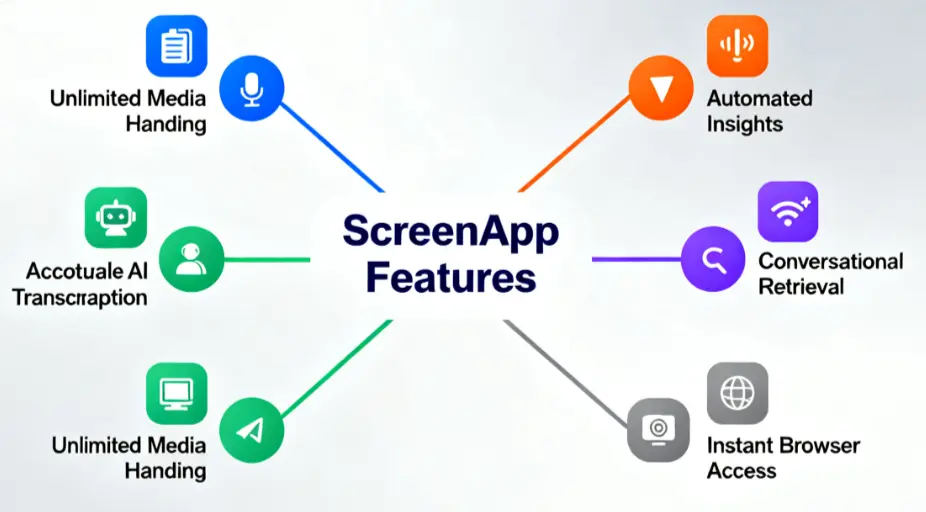
1.Unlimited Audio Upload and Transcription
ScreenApp is also user-friendly to the free users, and there is no restriction on time limit to upload audio or the number of times an individual can upload audio.. It supports audio formats such as MP3, WAV, and M4A, as well as video formats such as MP4 and MOV, allowing you to handle various media files with ease.
2. AI-Driven Precise Transcription
With high-end AI technology, it automatically recognizes various speakers, intelligently adds punctuations, and can assist in over 30 languages. It correctly reflects intonation variation in Chinese and technical terms in the English language.
3. Instant Summary and To-Do List
After transcription, AI automatically analyzes the content, generating structured chapter summaries and actionable to-do lists to help you quickly grasp the core information.
4. Interactive Q&A Functionality
Such is the killer feature of ScreenApp--you can pose questions regarding the transcription as though you are chatting with an assistant, and the system would instantly find the audio clip with the relevant content in order to actually be intelligent in retrieval.
5. No Software Installation Required
Works fully within a browser; no third-party installation packages are needed. It is already ready to be used and gives one the smoothest experience.
How to Use ScreenApp as a Free Audio to Text Converter
Using ScreenApp is simple and straightforward. Follow these three easy steps:
- Open screenapp.net and click Upload Audio or Record to start adding your file or capturing new audio directly in your browser.
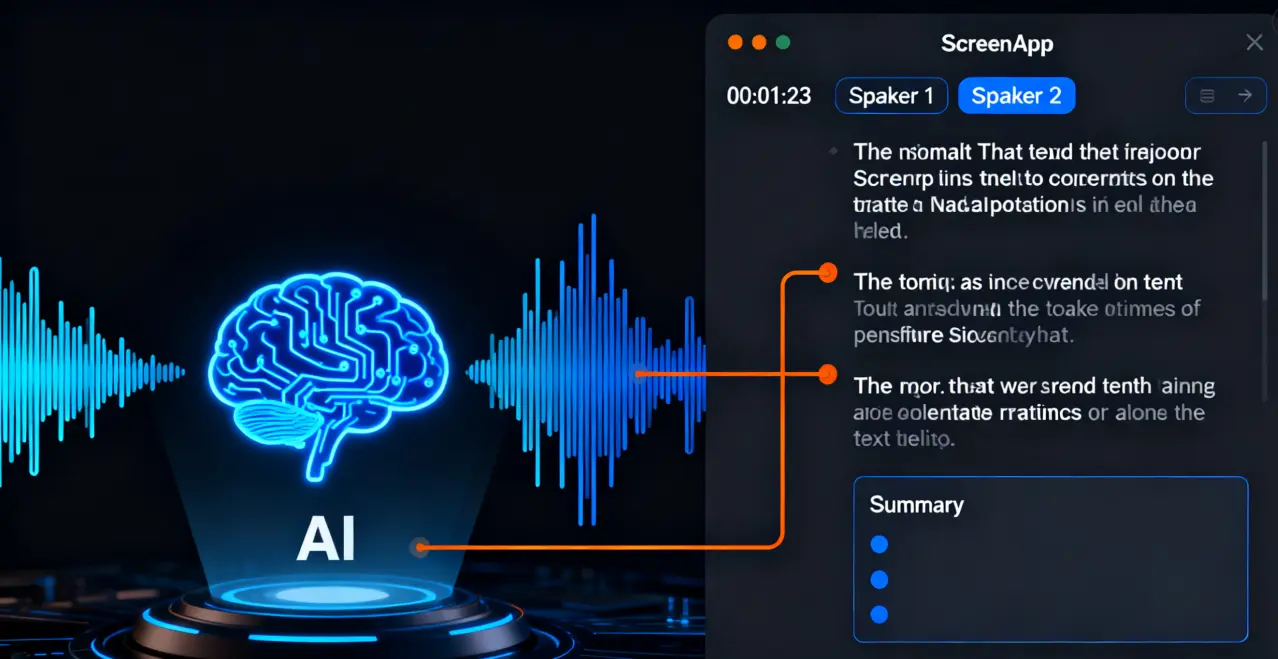
- Let the AI process your content. ScreenApp will automatically transcribe your recording, add timestamps, and generate a concise summary of the conversation.
- Review and export your transcript in your preferred format, such as TXT, DOCX, PDF, SRT, or JSON.
- It is also possible to share your transcripts with your teammates, comment on this or that part, or insert your notes in collaboration tools such as Notion or Confluence.
Pro Tip: Use the batch upload option when uploading more than one recording at the same time. This feature proves particularly helpful in a team that has to deal with regular meetings, lectures, or interviews.
Conclusion
ScreenApp is the way a free audio-to-text converter must become. It is unlimited, smart, and hassle-free, and is programmed to assist you in recording, comprehending, and taking action upon all the conversations or recordings.
They have no installations, no time restrictions, and no hidden charges. Simply open your browser, upload your file, and let ScreenApp convert your audio into structured and searchable knowledge instantly.
Try ScreenApp today, your all-in-one, no-limit, AI-powered audio-to-text converter.
FAQs
Is my data private and secure on ScreenApp?
Yes. ScreenApp has obtained encrypted connections that keep your uploads secure, only you can edit your files, and you can at any time delete or store recordings safely.
Is ScreenApp really free?
Yes. ScreenApp has an entirely free plan that does not have limits on the length of audio or the frequency of uploading. A free subscription can be offered on some advanced features; however, the basic transcription service is offered to all users.
What languages are supported?
ScreenApp is suitable in more than 30 languages, such as Chinese, English, Spanish, French, German, and Japanese, among others, and most other major languages. It has one of the highest transcription accuracy in the industry.
How accurate is the transcription?
ScreenApp is an AI-driven application that operates with more than 95% accuracy in clear audio settings. It is also able to self-recognize various speakers, add intelligent punctuations, and make the final text very readable.
Is my data private and secure?
Yes. ScreenApp also puts a high value on the privacy and security of data, as all the uploaded data is encrypted with an enterprise-grade key. The integrity of your audio files and transcripts is ensured and will never be disclosed to third parties.